
API Governance: Lifecycle, Standards and Risk
What It Does
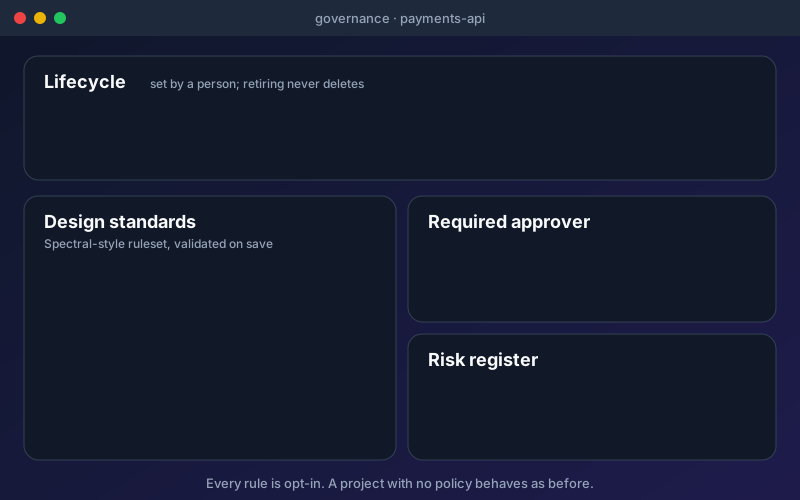
Governance turns "we should have standards" into something a team can see and manage. Lifecycle is set by a person, never by the product: draft, active, deprecated or retired, with an unclassified API reading Not set. Retiring asks for a reason and a confirmation before the sunset date, and it informs consumers without changing them. A project can require an approver on specification changes, and the refusal happens before anything is imported, so a rejected change leaves the project as it was. Design standards use rulesets written in Spectral-style rules; they are not Spectral itself, so rules that rely on filters or functions outside the supported list are refused with the reason. Results show passed, failed and could not be evaluated, with documentation completeness reported against its totals. Policies use a closed vocabulary of facts and run nightly, and a person can grant an exception that re-opens when it expires. The risk register keeps a band per API; accepted risks expire, a critical risk needs an end date within 90 days, and a worse risk is never hidden by an old acceptance. Standards are checked for OpenAPI-based APIs; lifecycle and policies also work for other protocols. Governance shows on each API's Governance tab, and rule errors and accepted risks are inputs to the release verdict. It can enforce your standards, but nothing is on until a project turns it on.
Overview
Governance gives each API an owner's view of its life and its standards. Set an API as draft, active, deprecated or retired, and nothing is deleted when you retire one. Require a named approver before a specification change can be imported. Hold a project to your own design standards with a ruleset you write in Spectral-style rules, and see which rules passed, failed or could not be checked. Record accepted risks with an expiry date: a worse risk is never hidden by an old acceptance. Every rule is opt-in and starts off, so a project with no governance policy behaves exactly as before. Governance is in Professional, Trial and Enterprise, not in the free Citizen Developer edition, and its findings also feed the release verdict.
Key Capabilities
How It Works
- 1
Open Governance and choose a project
- 2
Set the lifecycle of each API; unclassified APIs read Not set
- 3
Write or paste a ruleset; it is validated when you save it
- 4
Turn on the approver, policies and risk rules you want; each one is opt-in
- 5
Read the results on each API's Governance tab and in the release verdict
Available on
professional Plan & Above
Upgrade to the professional plan to unlock this feature.
Documentation
Step-by-step guides for setting up and using API Governance.
Built for regulated teams
Teams in regulated industries rely on this capability to ship API changes with an audit trail.
Go deeper
Guides and playbooks that show this capability in practice.
Related Features
API Discovery
Find the APIs your organization already runs, see how sure we are that each exists, and bring the ones you choose into a project.
Learn moreAPI Quality Evidence
Open one API and see its tests, security findings, mocks, load results, workflows and requirements in one place.
Learn moreRelease Verdict
One evidence-backed answer to "is this API ready to release?"
Learn moreTry API Governance Today
Start your 15-day free trial — no credit card required.