
Failed Runs Explained as Causes
What It Does
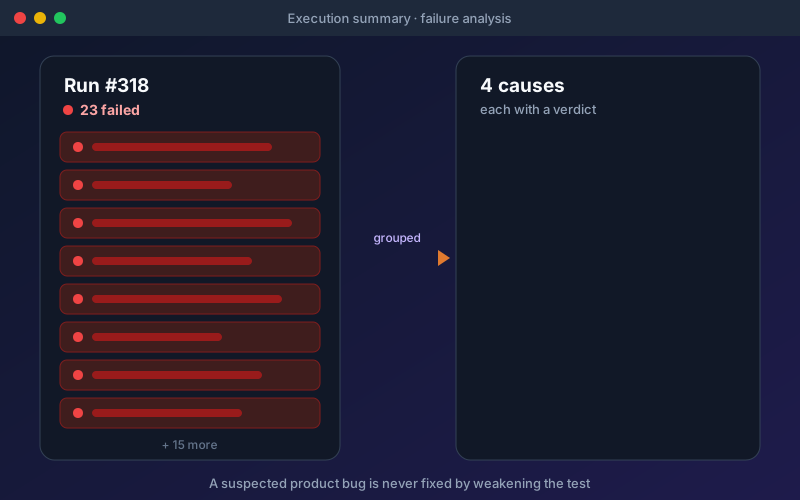
A pack with 40 red rows usually has three or four real problems behind it. Failure analysis finds them. It clusters failing tests by cause, labels each cause with a verdict, and shows the evidence, so the team knows whether to fix tests, reseed data, repair an environment, or file a bug. You can ask for a second look at any cause and add your own hints, and the AI takes them into account. The Fix button is grounded: it reads the specification, the requirement, the intent of the test, and the analysis of the run, and every suggested change cites its evidence. Green runs are examined as well. Would this test notice a regression? Was the requirement it claims to cover actually verified? Does the response still match its documentation? Suggested improvements only ever add checks.
Overview
When a run fails, Shift-Left API groups the failures into a handful of causes and gives each one a verdict: test defect, data issue, environment problem, or suspected product bug. It reads what the server actually said, so a firewall or gateway page, a sign-in page, rate limiting, and a missing record are told apart from a real permission refusal instead of all reading as "access denied". Fix every test that shares a cause in one step, with guardrails: a suspected product bug is never "fixed" by changing the test, and a negative test is never weakened into one that can no longer fail. Passing runs are examined too, for what they leave unchecked.
Key Capabilities
How It Works
- 1
Run a pack as usual; the execution summary shows its counters first and the causes below
- 2
Open a cause to see its verdict, the affected tests, and the evidence
- 3
Ask for a second look and add hints when the verdict needs more context
- 4
Fix every test that shares a cause in one step, with each change citing its evidence
- 5
Review suggestions for passing tests, which only ever add missing checks
Available on
All Plans
Included in the free trial — no credit card required.
Documentation
Step-by-step guides for setting up and using Failure Analysis.
- Run Triage: Understand Why a Run FailedWhen a run of 200 tests ends with 47 failures, the hard part is not fixing them. It is working out how many different problems those 47 failures actually are.
- Test Validity: What a Green Run Leaves OpenA green run is good news, but it does not always mean what it seems to. A test that only checks "the status was 200" stays green even if the endpoint starts returning an empty body.
- Fix with AI: Grounded RepairHow Fix with AI grounds each proposed repair in your API contract, your requirements and the last run, and what the workbench Diagnostics show about what was actually sent.
Go deeper
Guides and playbooks that show this capability in practice.
Try Failure Analysis Today
Start your 15-day free trial — no credit card required.