
Spec Change Review and Impact
What It Does
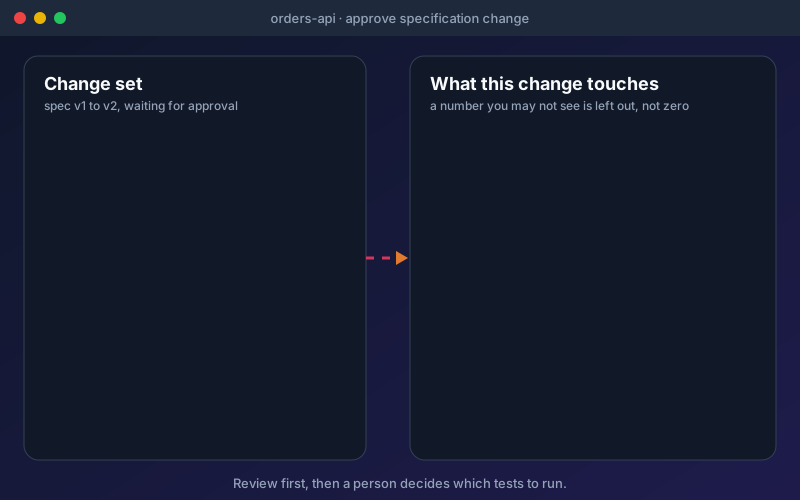
Reading a diff tells you what changed; it does not tell you who is affected. The impact panel closes that gap. Before you approve, it lists the tests, mocks, load tests, workflows and requirements attached to the APIs the change replaces, the applications that use them if you have defined applications in Discovery, and the APIs that use their values. Anything you are not allowed to see is left out rather than counted as zero. "Run the tests this change affects" then lets a person with the permission to run tests pick a non-production environment and run only those tests; production is listed as never run from here, the list is capped and says how many would run, and the click is recorded in the audit log. Mocks of a changed API are marked May be out of date, with an "I've checked it" button, and load tests and workflows that call the API get a note. None of these notes runs or edits anything, and they clear once the item has run or someone has looked. This is review, not repair: Shift-Left API tells you which tests to run, it does not run them for you, and approving a change creates new endpoint versions without rewriting any test. With the API Discovery add-on, the Changes screen adds a timeline of changes per project, a compare of two specifications (up to 8 MB each, showing added, changed and removed items and whether each could break clients) and a check of whether two environments expose the same APIs.
Overview
Change detection tells you that a specification changed. Change review tells you what the change touches. In the approval dialog, an impact panel lists the tests, mocks, load tests, workflows and requirements attached to the APIs being replaced, and the APIs that use their values. A change that could break clients is marked Could break clients. After the review, a person can run just the affected tests on a non-production environment. Mocks of a changed API are marked May be out of date, and the mark never changes how a mock answers. Nothing runs by itself and no test is rewritten: approving a change creates new endpoint versions. The approval dialog is in Professional, Trial and Enterprise.
Key Capabilities
How It Works
- 1
Re-import a specification, or check a monitored address for a change set
- 2
Open the approval dialog and read the impact panel before you decide
- 3
Approve or reject; approval creates new endpoint versions and keeps the old ones in history
- 4
Choose "Run the tests this change affects", pick a non-production environment and confirm
- 5
Review any mock marked May be out of date and press "I've checked it" when you are done
Available on
professional Plan & Above
Upgrade to the professional plan to unlock this feature.
Documentation
Step-by-step guides for setting up and using Change Review.
- Reviewing a Specification Change: See What It Touches Before You ApproveBefore you approve a changed specification, see the tests, mocks, load tests, workflows, requirements and applications it touches, compare versions, and choose which affected tests to run.
- API Change DetectionDetect when an imported API spec changes, review new, modified, removed, and breaking endpoints in a diff, then approve and import the changes as new endpoint versions.
Built for regulated teams
Teams in regulated industries rely on this capability to ship API changes with an audit trail.
Go deeper
Guides and playbooks that show this capability in practice.
Related Features
Change Detection
Detect breaking API changes before they reach production.
Learn moreAPI Quality Evidence
Open one API and see its tests, security findings, mocks, load results, workflows and requirements in one place.
Learn moreRelease Verdict
One evidence-backed answer to "is this API ready to release?"
Learn moreTry Change Review Today
Start your 15-day free trial — no credit card required.