
OpenAPI Change Impact Analysis: Know What a Spec Change Breaks
OpenAPI change impact analysis goes one step beyond a spec diff. A diff says what changed; impact analysis says what the change touches: which tests, mocks, workflows, requirements and consumers depend on the changed operations. Classify each change as breaking or safe by direction (request versus response), map it to its dependents, then re-run only the affected tests before you approve.
Reviewed by Smeet Gohel
Part of the OpenAPI, Contract & Schema Testing hub. Start with the pillar guide: OpenAPI testing: how to test an API from its spec.
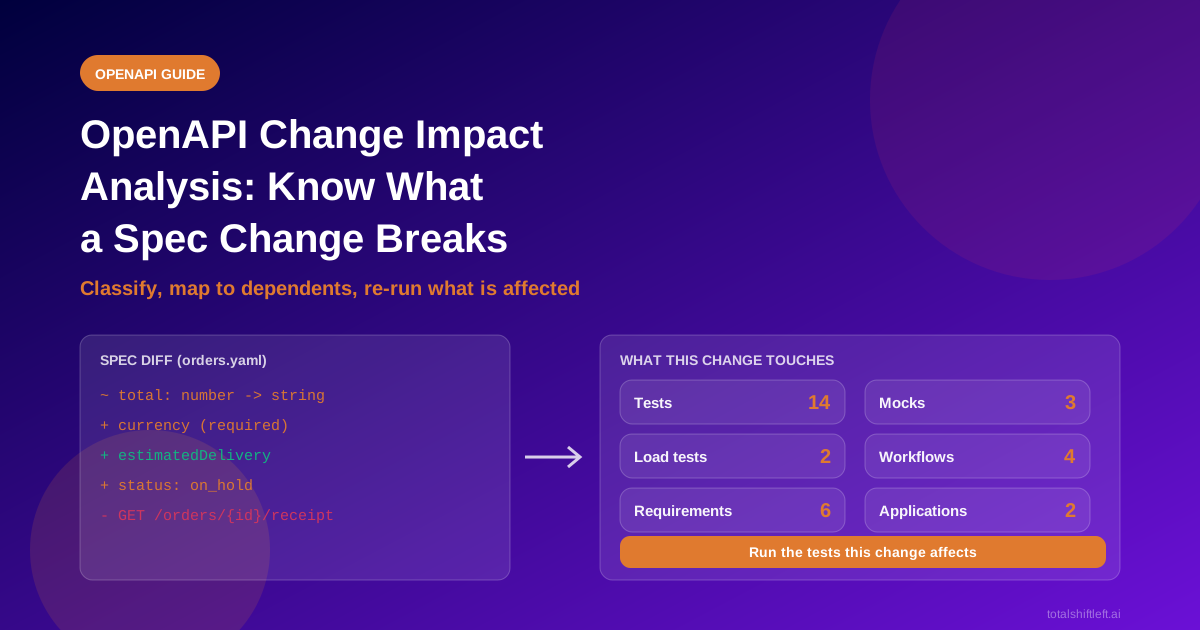
OpenAPI change impact analysis is the step after the diff. A diff tells you that total changed from number to string. Impact analysis tells you which tests assert on total, which mocks return it, which workflows pass it along and which consumers will break. This guide shows how to classify changes correctly, map them to their dependents, and re-run only what matters before you approve the change.
In this guide
- Diff versus impact: the difference
- Which changes are breaking?
- A five-step impact analysis
- A worked example
- What a change touches
- Ways to do it, compared
- Common mistakes
- How Shift-Left API handles spec changes
- Impact analysis checklist
- Frequently asked questions
A pull request that edits openapi.yaml can look harmless: ten changed lines, a tidy diff. The consequences are somewhere else, in a mobile app on an old release, a partner integration, a mock that nobody regenerated, or a test that quietly stops asserting what you think it does. Impact analysis is how you find those before your consumers do.
Diff versus impact: the difference
| Question | A spec diff answers | Impact analysis answers |
|---|---|---|
| What changed? | Yes | Yes |
| Is the change breaking? | Sometimes, with a rules engine | Yes, with direction and context |
| Who calls this operation? | No | Yes |
| Which tests cover it? | No | Yes |
| Which mocks, workflows and requirements depend on it? | No | Yes |
| What should I re-run? | No | Yes |
Diff tools such as oasdiff are excellent at the first two rows and belong in your pipeline. Impact analysis builds on them. For the pipeline side, see our guide to API versioning testing in CI.
Which OpenAPI changes are breaking?
The key idea is direction. A change that is safe in a request can be breaking in a response, and the other way round. Clients send requests and read responses, so:
- Making a request stricter breaks clients that send the old shape.
- Making a response less predictable breaks clients that rely on the old shape.
| Change | Request | Response |
|---|---|---|
| Remove an operation | Breaking | n/a |
| Remove or rename a field | Safe if optional and ignored; breaking if the server needs it | Breaking |
| Change a field's type | Breaking | Breaking |
| Add a required field or parameter | Breaking | Safe |
| Add an optional field or parameter | Safe | Usually safe |
| Add a value to an enum | Safe | Risky: clients with exhaustive handling may fail |
| Remove a value from an enum | Breaking for clients that send it | Safe, mostly |
| Tighten validation (shorter max length, new pattern) | Breaking | Safe |
| Loosen validation | Safe | Risky: clients may assume the old limits |
| Change a status code for a case | n/a | Breaking |
| Add a new status code | n/a | Risky for strict clients |
| Make authentication stricter | Breaking | n/a |
Two cautions apply to any table like this. First, "usually safe" depends on how your clients are written: a client that rejects unknown fields turns a harmless addition into a break. Second, semantic changes never show in a diff. If status: "active" now means something different, the schema is identical and the contract is broken. Google's API compatibility guidance is a good independent reference for what counts as compatible.
A five-step impact analysis
Step 1: Diff the contract
Compare the new specification with the last approved one. Use a tool rather than your eyes: formatting and ordering noise hides real changes.
oasdiff breaking base.yaml revision.yaml --fail-on ERR
oasdiff changelog base.yaml revision.yaml
The first command lists changes the tool classifies as breaking and fails the job. The second lists every change in readable form.
Step 2: Classify each change
For every entry, record the operation, the direction (request or response), and whether it is breaking, risky or safe. Do not stop at the tool's verdict. Add the risky cases from the table above, and add any semantic changes the tool cannot see.
Step 3: Map the change to its dependents
This is where impact analysis begins. For each changed operation, list what depends on it (the next section has the full list). The most useful single question is: who calls this, and who uses the values it returns? A dependency map answers that. If you do not have one, API dependency mapping shows how to build it.
Step 4: Re-run the affected tests
Run the tests for the changed operations first, then the tests for their one- and two-hop neighbours. Do this on a non-production environment, because tests send real requests. A focused run gives you an answer in minutes, and a failure tells you where to widen the net. Our regression testing guide explains when to run the wider suite.
Score your OpenAPI spec (free)
Free, runs in your browser, no sign-up needed.
Step 5: Decide, notify and update dependents
Choose one of four outcomes:
- Approve because the change is safe.
- Approve with a notice to named consumers.
- Version the API, so old clients keep working while new ones move.
- Reject and ask for a compatible design.
Then update the dependents: regenerate or re-check mocks, review load tests, and update requirements that referred to the old behaviour.
A worked example: an Orders spec change
A team edits the Orders spec in one pull request:
totalchanges fromnumbertostring(to carry a currency format).- A new optional response field
estimatedDeliveryis added. statusgains a new value,on_hold.POST /ordersgets a new required field,currency.GET /orders/{id}/receiptis removed.
| # | Change | Class | Why | Likely impact |
|---|---|---|---|---|
| 1 | total number to string | Breaking (response) | Type change | Tests asserting a numeric total; mocks returning a number; the checkout total calculation |
| 2 | Optional estimatedDelivery | Safe | Additive, optional | None expected |
| 3 | on_hold added to status | Risky (response) | New enum value | Clients with an exhaustive status switch |
| 4 | Required currency on POST /orders | Breaking (request) | New required input | Every test and workflow that creates orders; mobile clients on older versions |
| 5 | GET /orders/{id}/receipt removed | Breaking | Operation removed | Tests, workflows and requirements that use receipts |
Only change 2 can ship without a conversation. The review should send changes 1, 4 and 5 back or move them into a new API version, and change 3 needs a heads-up to consumers. The re-run set is: all tests for POST /orders, GET /orders/{id} and GET /orders/{id}/receipt, plus the tests of APIs that use an order's total.
What a change touches
A thorough impact view lists more than tests. For each changed operation, check:
| Dependent | What can go wrong | Action |
|---|---|---|
| Functional tests | Assertions on removed or retyped fields fail | Re-run; repair after reviewing the failure |
| Mocks | They keep returning the old shape, so consumers pass against a lie | Regenerate or contract-check them |
| Load tests | Scenarios call removed or changed operations | Review and re-run |
| Workflows and chained tests | A value passed between steps changes type or disappears | Review each step that uses the value |
| Requirements | A requirement describes behaviour that no longer exists | Update the requirement and its tests |
| Applications and consumers | Apps built on the API break in production | Notify owners; version if needed |
| Documentation and SDKs | Docs and generated clients become wrong | Regenerate and publish |
Ways to assess a spec change, compared
| Approach | What you get | Gap |
|---|---|---|
| Read the pull request diff | A quick look at what changed | Misses indirect effects and dependents |
| Spec diff or linter in CI | A consistent breaking/non-breaking verdict | Does not know your tests, mocks or consumers |
| Consumer-driven contracts | Proof that the provider still meets what each consumer needs | Needs consumer teams on board; only covers consumers that publish contracts. See contract testing for microservices |
| Impact analysis with a dependent map | The tests, mocks and workflows the change touches, and a focused re-run | Needs the map and test links to exist |
| Full regression on every change | Maximum safety | Slow and costly; hides which change caused a failure |
The best setups combine the second, third and fourth rows: a diff in CI for the verdict, consumer contracts for external consumers, and an impact view for the people approving the change.
Common mistakes
- Trusting the spec as the truth. If the implementation has already drifted, the diff compares two documents, not behaviour. Pair it with schema validation against live responses.
- Treating "optional" as "safe". Strict clients reject unknown fields.
- Ignoring direction. Reading every change as simply "added" or "removed" misses that the same change differs for requests and responses.
- Letting tests change themselves. A test that is silently rewritten to match new behaviour can hide a real regression. Failing tests should be reviewed.
- Running the impact check on production. Tests send real requests, so keep them on non-production environments.
- Skipping the notice. Even a safe-looking change deserves a line in the changelog for the people who depend on it.
How Shift-Left API handles spec change review
The method above works with any toolset. Here is what spec change review in Shift-Left API does.
OpenAPI to Test Generation Template Pack
Go from OpenAPI spec to full test coverage. Includes sample specs, example generated tests, edge case patterns, and CI/CD integration guides.
An impact panel inside the approval dialog. When a specification change is detected, the approval dialog (available on Professional, Trial and Enterprise) lists what the change touches before you approve: tests, mocks, load tests, workflows, requirements attached to the APIs being replaced, the applications that use them, and APIs that use a value from them. Changes that could break clients are marked Could break clients. A number you are not allowed to see is left out rather than shown as zero.
Run the tests this change affects. The panel has a "Run the tests this change affects" section. You pick the environment, press "Run N tests", and confirm with "Yes, run them", because the tests call that environment's real servers. It is a person's click, it needs the permission to run tests manually, and it is audit-logged. A production environment is listed as "production: never run from here". A long list is capped and tells you how many would run.
Dependents get flagged, not changed. An approved change marks the mocks of the changed API May be out of date until you check them. Load tests and workflows whose steps call a changed API get a note ("re-run it?" or "marked for review"). Nothing is run or edited automatically, and the note clears once the item has run or a person has looked.
Compare, timeline and environments. Under Discovery, Changes has four views: Seen by sources, Timeline (per project, newest first, with what each change touched), Compare (two specifications up to 8 MB each, or two versions of a project, showing added, changed, removed and unchanged, and whether each change could break clients and why) and Environments (whether two environments have the same APIs). These screens need the Discovery add-on, which every trial includes. Each API's Changes tab also shows kept release verdicts.
What it does not do. Be clear about the limits:
- It does not run tests for you after approval. It tells you which tests to run. Running them is your decision.
- Tests do not rewrite themselves. Approving a change creates new endpoint versions. No test is rewritten. After a failure, AI-assisted repair is opt-in and reviewed by a person.
- The breaking-change rules are the current standard set. Do not expect per-field, direction-aware analysis of nested structures.
- Production is never run from the panel.
A spec review fits into a larger picture: the API dependencies map provides the "who uses this" answers, and the broader API change detection feature covers how changes are noticed in the first place. The step-by-step guide is in the Spec change review documentation and the API change detection guide. To try it on a real spec, start a trial.
Impact analysis checklist
- ✔ The new spec is diffed against the last approved one with a tool, not by eye
- ✔ Every change is classified as breaking, risky or safe, by direction
- ✔ Semantic changes that a diff cannot see are reviewed by a person
- ✔ Each changed operation is mapped to its tests, mocks, load tests, workflows and requirements
- ✔ Consumers and applications that use the operation are identified
- ✔ Affected tests are re-run on a non-production environment before approval
- ✔ Mocks of changed APIs are regenerated or checked against the new contract
- ✔ The decision is recorded: approve, approve with notice, version, or reject
- ✔ Breaking changes get a new version and a deprecation date
- ✔ The changelog names the change and who was told
Frequently asked questions about OpenAPI change impact
What is OpenAPI change impact analysis?
It is the practice of working out what a change to an OpenAPI specification affects: the tests, mocks, workflows, requirements and consumers that depend on the changed operations. A diff shows the change; impact analysis shows its consequences.
Which OpenAPI changes are breaking?
Removing an operation, removing or renaming a response field, changing a field's type, adding a required request field or parameter, and tightening what a request accepts are breaking. Adding an optional request field or an optional response field is usually safe.
Is adding an enum value breaking?
It depends on direction. Adding a value to a request enum is safe. Adding one to a response enum can break clients that handle only the known values, so treat it as a risk to communicate.
How do I run only the tests affected by a spec change?
Map each changed operation to the tests that call it, plus the tests of APIs that use its values, then run that set on a non-production environment. If it fails, widen the set.
Should tests update themselves when a spec changes?
Be cautious. A test encodes expected behaviour, so silently rewriting it can hide a real regression. Tests should be reviewed or repaired by a person after a failure, not changed automatically.
Does Shift-Left API run tests automatically after I approve a spec change?
No. The impact panel tells you which tests the change affects, and a person decides to run them. Production environments are never run from that panel.
Which Shift-Left API plans include the change impact panel?
The approval dialog with the impact panel is available on Professional, Trial and Enterprise. The Compare, Timeline and Environments views sit under Discovery, which is a paid add-on that every trial includes.
Sources and further reading
- OpenAPI Specification: the format and its schema rules.
- oasdiff: breaking-change detection between two OpenAPI documents.
- Google Cloud API design guide: compatibility: what counts as a backward-compatible change.
- Semantic Versioning: how version numbers signal breaking changes.
Ready to shift left with your API testing?
Import your OpenAPI spec and get a runnable test suite, in our cloud or on your own infrastructure.