
File Uploads & Form Bodies
Test multipart uploads, url-encoded forms and raw file bodies, sent the same way everywhere a test runs.
What It Does
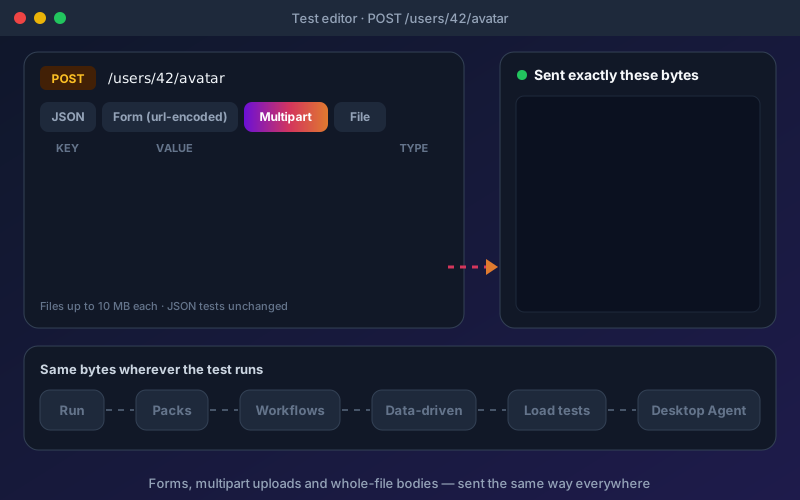
Upload and form endpoints are some of the least tested APIs in most suites, because generic tools make them awkward to automate. In Shift-Left API they are ordinary tests. Pick url-encoded, multipart or file in the test editor, add form fields, attach a file, and run: the result shows what was actually sent. Endpoints imported from an OpenAPI or Swagger file that accept only forms, and Postman requests with form or file bodies, send those bodies correctly without extra work. Stored files are managed per project, with a quota and a sweep of files no test uses, and a test whose file is missing says so instead of sending an empty part.
Overview
Many APIs do not take JSON. A token endpoint may expect an HTML-style form, an avatar or document upload expects a multipart form with a file in it, and an image endpoint may expect the raw bytes of a PNG as the whole body. A REST test's request body can now be any of these, alongside JSON and text. Choose the body type, add fields and attach files, and Shift-Left API sends exactly those bytes wherever the test runs: the Run button, packs and schedules, workflows, data-driven iterations, load tests and the desktop Agent.
Key Capabilities
How It Works
- 1
Open a REST test's request body and choose url-encoded, multipart or file
- 2
Add form fields and attach files to file parts
- 3
Run the test and check the exact request that was sent
- 4
Use the same test in packs, schedules, workflows, data-driven runs and load tests
Available on
All Plans
Included in the free trial — no credit card required.
Documentation
Step-by-step guides for setting up and using File Uploads & Forms.
Go deeper
Guides and playbooks that show this capability in practice.
Try File Uploads & Forms Today
Start your 15-day free trial — no credit card required.