
WebSocket-RPC Testing
What It Does
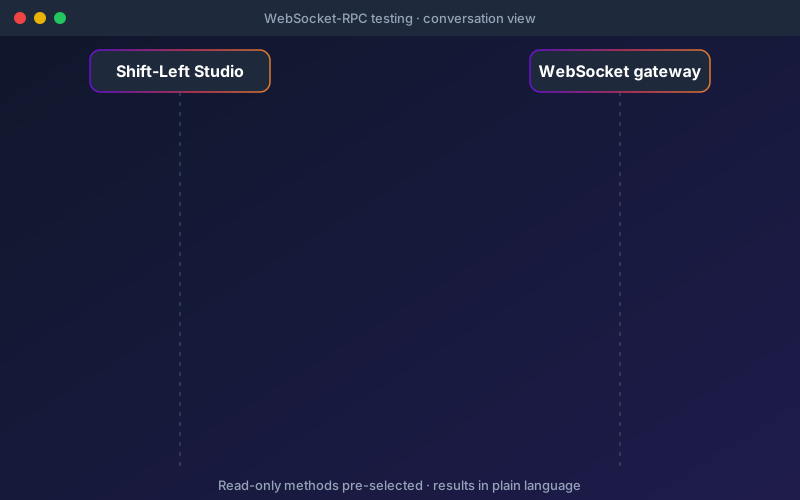
WebSocket-RPC testing is designed around how stateful gateways actually behave. A test often needs to sign in once and then make several calls in order over the same connection, so workflows provide Connect, Call and Close blocks that keep a single authenticated session open across steps. The connect wizard starts safely: it discovers the methods your gateway declares and selects only the read-only ones by default, so a first run does not change data by accident. When a pack does need to change data, a gateway backup before its first test and a restore after its last can be configured through the test-pack API. The scenario view shows each connection as a conversation of request and response steps, with results summarised in plain language. WebSocket-RPC tests run on the cloud or server Engine, not on the local runner of the desktop Agent.
Overview
Many real-time platforms expose their API as remote procedure calls over a WebSocket gateway rather than as HTTP endpoints. WebSocket-RPC testing handles them end to end, and it was validated against a production WebSocket-RPC gateway. A connect wizard probes your gateway and lists the methods it declares, with read-only methods selected for you and methods that change data left unticked. Workflows keep one authenticated connection open across ordered steps using Connect, Call and Close blocks, and gateway credentials are saved once as named access keys. Results read in plain language, with a scenario view showing each connection as a conversation of steps. Available in Trial and Enterprise editions.
Key Capabilities
How It Works
- 1
Open the connect wizard and point it at your WebSocket gateway
- 2
Review the discovered methods: read-only ones are selected, data-changing ones are not
- 3
Save the gateway credentials once as a named access key
- 4
Build a workflow with Connect, Call and Close blocks in the order you need
- 5
Run it on the cloud or server Engine and read each connection in the scenario view
Available on
enterprise Plan & Above
Upgrade to the enterprise plan to unlock this feature.
Documentation
Step-by-step guides for setting up and using WebSocket-RPC.
Go deeper
Guides and playbooks that show this capability in practice.
Try WebSocket-RPC Today
Start your 15-day free trial — no credit card required.