
Authentication Profiles: Every Auth Method, Built In
What It Does
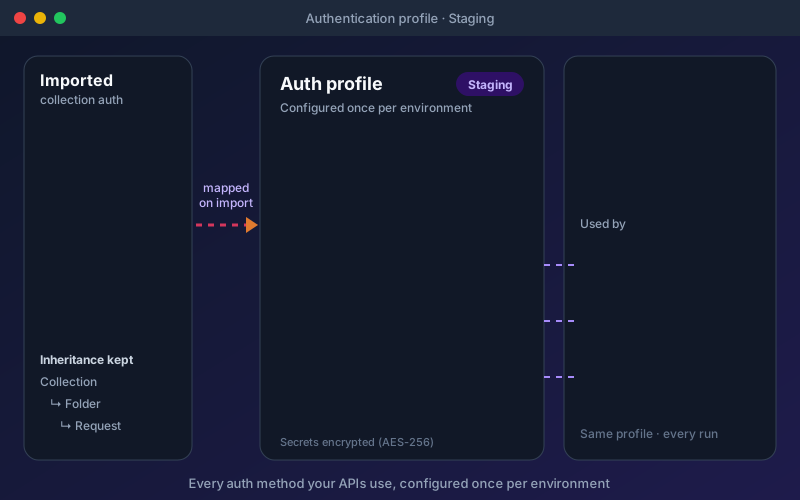
Most APIs refuse a request that does not prove who is calling, and a real API estate rarely uses just one method. Authentication profiles let you describe each method once and tie it to an environment, so the same tests send staging credentials to staging and production credentials to production, and nobody pastes a token into a test again. OAuth 2.0 covers five grant types: sign in once in a browser (existing sessions, MFA and passkeys work) or with a device code when the browser cannot reach Shift-Left API, and runs renew the token themselves. For enterprise and legacy services, NTLM, Digest, Hawk, OAuth 1.0a, AWS Signature v4 and mutual TLS are built in, and JWT Bearer signs a fresh token for each request. When sign-in takes several requests, such as a login followed by a one-time code, "sign in with steps" chains them and stores the password encrypted. When you import a collection, its auth, including folder and collection-level auth, lands in profiles automatically.
Overview
Describe how to authenticate once, in a profile tied to an environment, and every test, pack, workflow and performance run in the project uses it. Eighteen methods are built in on every plan, including the free edition: API Key, Basic, Bearer, Digest, NTLM, OAuth 1.0a, OAuth 2.0, Hawk, JWT Bearer, AWS Signature v4, mutual TLS, custom headers, query parameters, cookie login and multi-step sign-in among them. OAuth 2.0 covers five grant types (Authorization Code with or without PKCE, Device Code, Client Credentials, Password and Implicit), your own registered Callback URL, provider presets for Microsoft Entra ID, Okta, Auth0, Keycloak and Google, and tokens that refresh on their own. Imported collections bring their auth into profiles, with collection and folder auth inherited by every request. Secrets are encrypted and never written into individual tests.
Key Capabilities
How It Works
- 1
Create a profile in the project’s Authentication screen and choose the method (or pick a provider preset)
- 2
Enter credentials; secrets are encrypted and never copied into tests
- 3
Tie the profile to an environment so each environment sends its own credentials
- 4
For OAuth 2.0, sign in once with a browser or device code; runs refresh the token themselves
- 5
Every test, pack, workflow and load test in the project authenticates through the profile
Available on
All Plans
Included in the free trial — no credit card required.
Documentation
Step-by-step guides for setting up and using Auth Profiles.
- Authentication Profiles: Choose and Configure a MethodMost APIs refuse a request that does not prove who is calling. In Shift-Left API you describe how to prove it once, in an authentication profile, and every test, pack, workflow and performance run in the project uses it.
- OAuth 2.0 Sign-In: Browser and Device CodeMany APIs sit behind an identity provider such as Microsoft Entra ID, Okta, Auth0, Keycloak or Google, and only accept a token issued to a signed-in user. You cannot get that token with a client ID and secret alone.
- Sign In With Steps: Login, One-Time Code, Token and RefreshSome APIs sign you in with a sequence of calls they designed themselves. A typical example: post a username and password, receive a one-time code by SMS or email, post the code back, and receive a bearer token plus a refresh token.
Go deeper
Guides and playbooks that show this capability in practice.
Related Features
Secret Managers
Pull credentials from HashiCorp Vault at run time, so they never live in your tests.
Learn moreSSO
Configure SAML 2.0 or OpenID Connect, with an Entra ID preset and group-to-role mapping.
Learn morePerformance Testing
Turn the API tests you already have into load, stress, spike and soak tests, and get a verdict in words.
Learn moreTry Auth Profiles Today
Start your 15-day free trial — no credit card required.