
Comments & Collaboration
Discuss tests and requirements in context, with @mentions.
What It Does
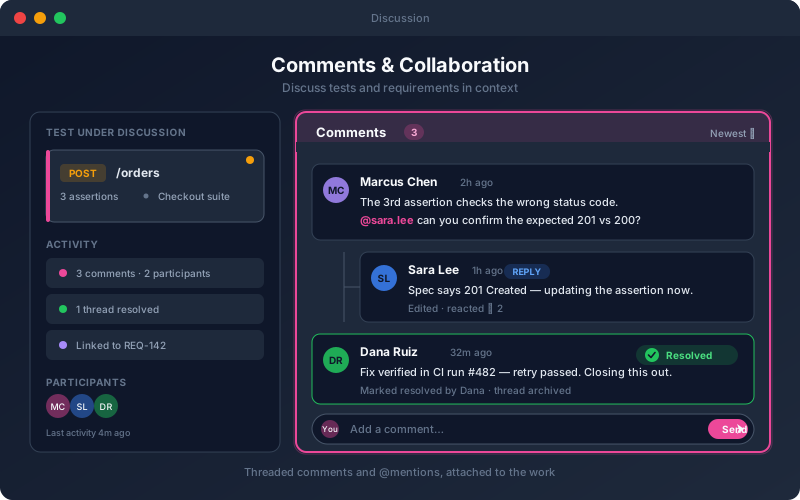
Comments & Collaboration bring the conversation to the artifact. Instead of describing a test in a chat message and losing the thread, your team comments right on the test, endpoint, requirement, or workflow in question. Mentions notify the people who need to weigh in, and resolving a thread signals that a question is settled. Because the discussion stays with the object, anyone who opens it later can see why it looks the way it does — invaluable during reviews, audits, and onboarding.
Overview
Leave threaded comments directly on tests, endpoints, requirements, and workflows so discussion happens where the work lives — not in a separate chat tool. Mention teammates to pull them in, resolve threads when questions are answered, and keep the reasoning behind a test attached to the test itself. In-context collaboration keeps reviews tight and preserves the "why" long after a decision is made.
Key Capabilities
How It Works
- 1
Open a test, endpoint, requirement, or workflow
- 2
Add a comment or reply within a thread
- 3
Mention teammates to request their input
- 4
Resolve the thread when the discussion concludes
- 5
Revisit comments any time for context and history
Available on
professional Plan & Above
Upgrade to the professional plan to unlock this feature.
Go deeper
Guides and playbooks that show this capability in practice.
Try Comments Today
Start your 15-day free trial — no credit card required.