
CI/CD Pipeline Integrations
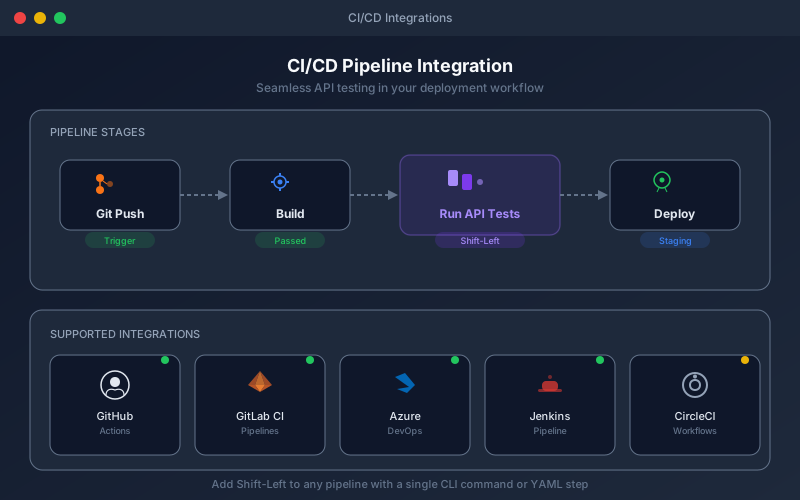
First-party GitHub Action, Jenkins plugin and Azure DevOps task, plus a REST API for any other CI/CD tool.
What It Does
CI/CD Pipeline Integrations let you run your API test suites as part of every build, merge request, or deployment. Results feed back into your pipeline so broken APIs are caught before they reach production. You can configure pass rate thresholds (e.g., fail the build only if pass rate drops below 95%), target different environments per branch, and view detailed execution reports inline in your pull request. Combined with the Shift-Left Agent, you can test private APIs within your CI infrastructure without exposing them to the cloud.
Overview
Trigger API tests from GitHub Actions, Jenkins or Azure DevOps using first-party pre-built integrations. For GitLab CI, CircleCI, Bitbucket Pipelines, or anything else — Bamboo, TeamCity, Buildkite — use the public REST API with configurable failure thresholds, so your pipeline fails only when it should. Run tests against different environments per branch (dev for feature branches, staging for release branches) and get pass/fail results directly in your PR.
Key Capabilities
How It Works
- 1
Add the first-party integration (GitHub Actions, Jenkins, Azure DevOps) or call the REST API directly from any other CI/CD tool
- 2
Configure which test pack to run, against which environment, and the pass threshold
- 3
Tests execute automatically on every push, PR, or scheduled trigger
- 4
Pipeline fails if test thresholds are not met — with detailed reports and logs
- 5
View execution summaries and failure details directly in your CI/CD dashboard
Available on
business Plan & Above
Upgrade to the business plan to unlock this feature.
Go deeper
Guides and playbooks that show this capability in practice.