
Scan for APIs on Your Computer
What It Does
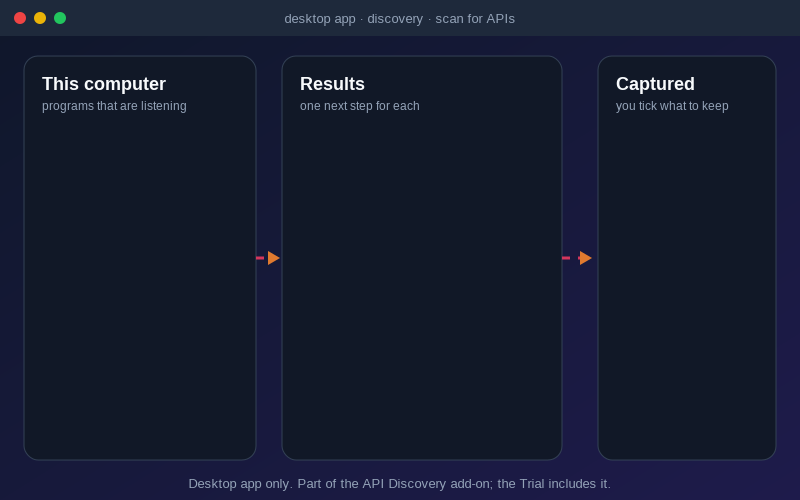
A scan lists the programs listening on your computer and sorts what it finds. "Ready to add" holds programs that publish their own description, and "Add" creates an ordinary Discovery source, which counts toward your package's source limit. "Use it to find its API" offers "Capture its calls", which opens the app in a Studio window with a clock and a Stop button. Only calls to that app's own address are recorded; calls to other hosts are counted and left out. By default only names, counts and times are kept, not query values, headers, cookies or messages. You tick the calls to add to the inventory, and Done erases the rest. A capture stops after an hour and holds up to 5,000 rows. An optional setting, off by default, keeps up to three sanitised JSON examples per API for making mocks, never for production or unknown hosts, and for no more than 24 hours. Sanitising goes by field name and shape, so it can miss personal details in free text. "Watch every app on this computer" goes wider: on Windows and macOS it points your own proxy setting at Studio while a banner is on screen, and restores it when you stop, when the capture times out or at the next start. It is refused where your organisation manages the proxy. Apps that ignore the system proxy, and browser traffic to localhost, are not seen. Encrypted calls show only the host until you enable Read HTTPS, and apps that pin their certificate stay encrypted. "Also scan my network" asks a second question before it looks beyond your computer; each network scan is audit-logged, and it may set off security tools, so tell your security team first. A scan shows what it can reach, not every API you have. Captured calls do not become tests. Recording a scan or running a capture needs permission to manage Discovery sources. If the add-on ends, you can still read what was found, but not record new scans or captures. In a browser, a scan result offers to read a HAR file that you save from your browser's developer tools instead.
Overview
The quickest way to start an API inventory is the computer you work on. In the Shift-Left Studio desktop app, "Scan for APIs" finds programs that are listening for connections, works out which of them are APIs and gives each result a next step. It asks for your consent first. To identify a program, it sends a few plain requests to it, such as for its home page and the usual places where an API description is published. It signs in nowhere and calls no tool. For an application with no API description, "Capture its calls" records what it calls while you use it, and you choose what goes into the inventory. Scan for APIs is part of the API Discovery add-on and is included in the 15-day Trial. It does not run in a web browser.
Key Capabilities
How It Works
- 1
In the desktop app, open Discovery → Overview and select "Scan for APIs"
- 2
Read the consent question and choose Scan
- 3
Review the groups, then add an API, add it with a sign-in, or ignore it
- 4
For an app with no description, select "Capture its calls" and use the app as usual
- 5
Tick the calls you want and add them to the inventory
Available on
API Discovery add-on (paid add-on)
Added to a Professional, Custom or Enterprise licence. Included in the 15-day free trial — no credit card required.
Documentation
Step-by-step guides for setting up and using Scan for APIs.
- Scan for APIs on This Computer (Desktop App)Find the APIs running on your own computer, record an application's calls, and bring what you find into your inventory. Desktop app only, and every step asks for your consent first.
- API Discovery: Find the APIs You Already RunBuild one inventory of the APIs your organisation runs, from specifications, gateways, repositories, traffic and logs. Every row says how sure we are it exists, and you can accept the real ones into a project.
Go deeper
Guides and playbooks that show this capability in practice.
Related Features
API Discovery
Find the APIs your organization already runs, see how sure we are that each exists, and bring the ones you choose into a project.
Learn moreAPI Dependencies
See which APIs run before and after an API, which use its values, and how we know.
Learn moreAPI Quality Evidence
Open one API and see its tests, security findings, mocks, load results, workflows and requirements in one place.
Learn moreTry Scan for APIs Today
Start your 15-day free trial — no credit card required.