
Secret Manager Integrations
Pull credentials from Vault, AWS, and Azure at run time.
What It Does
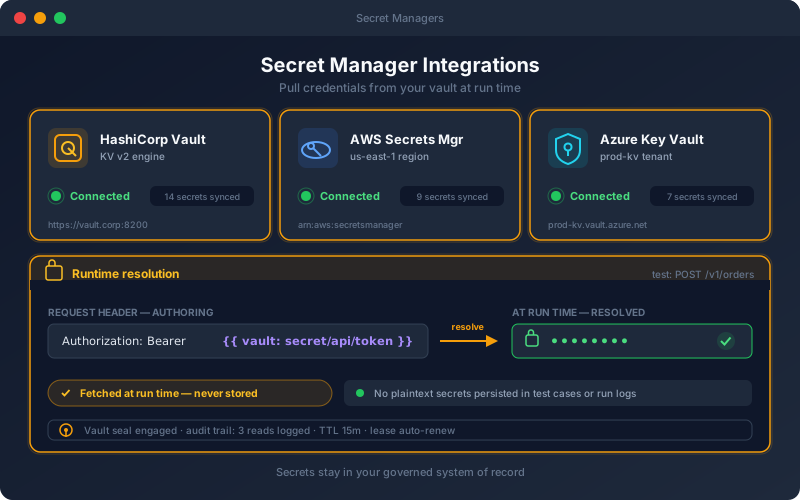
Secret Manager Integrations let the platform borrow credentials without owning them. Rather than saving an API key or password in a test or profile, you reference a secret in your existing manager, and the platform retrieves it at execution time. This means your security team keeps a single source of truth, rotation policies enforced in the vault apply automatically to your tests, and sensitive values never live inside test definitions or reports. It is the enterprise-grade answer to "where do the test credentials live?"
Overview
Integrate with HashiCorp Vault, AWS Secrets Manager, and Azure Key Vault so tests fetch credentials from your existing secret store at run time instead of storing them on the platform. Secrets stay in the system of record your security team already governs, and rotation happens where it should — in your vault — with tests always using the current value. For regulated organizations, this keeps sensitive credentials out of test definitions entirely.
Key Capabilities
How It Works
- 1
Connect Vault, AWS Secrets Manager, or Azure Key Vault
- 2
Reference a secret by path in an auth profile or request
- 3
The platform fetches the current value at run time
- 4
Rotate secrets in your vault — tests pick up the new value
- 5
Sensitive credentials never persist in test definitions
Available on
enterprise Plan & Above
Upgrade to the enterprise plan to unlock this feature.
Built for regulated teams
Teams in regulated industries rely on this capability to ship API changes with an audit trail.
Go deeper
Guides and playbooks that show this capability in practice.
Try Secret Managers Today
Start your 15-day free trial — no credit card required.