
Distributed Load Agents
Add machines to send more load, or load from several places, and still read one merged report.
What It Does
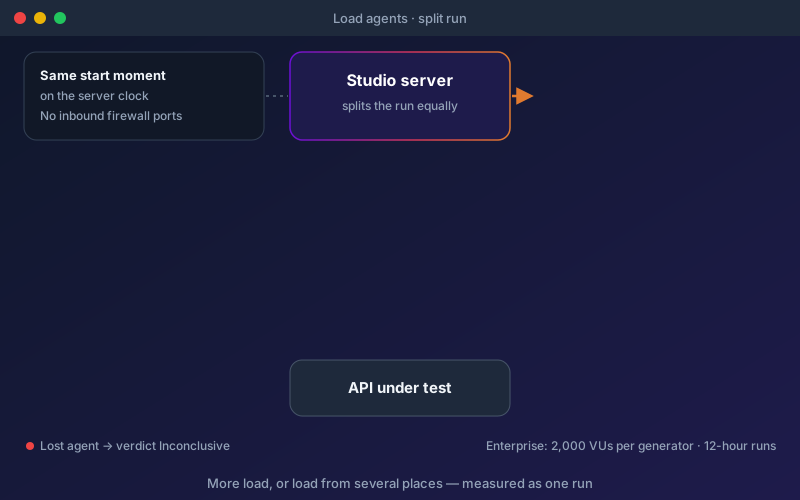
Load agents let a single performance test draw on several machines, whether to reach a higher rate than one generator can sustain or to send load from different networks and regions. An Administrator registers an agent from the Performance section, is shown the secret once with the exact command to start it, and the agent appears Online as soon as it connects. In the designer's last step, choose "Split across load agents", pick the agents and decide whether the server sends a share too. Only one generator sends the precheck, and if one generator hits a target that stops the run, all of them stop. The report names any agent that never collected its share, stopped reporting, was overloaded or started late. A scenario that uses a client certificate runs from the server only, so its private key never leaves it.
Overview
One machine can only send so much, and the report tells you when your load generator became the bottleneck. A load agent is another machine that takes an equal share of a run: the desktop runner started in agent mode, or the Engine. Agents connect out to the Shift-Left API server, so nothing has to be opened on their firewall. Each generator runs the same profile at its share of the users or the rate, with its own share of the data rows, and every generator starts at the same moment on the server's clock. Measurements are merged exactly, so the p95 of a split run is the true p95 of every request. Load agents come with the Team (2 agents) and Scale (any number) packages of the Performance & Load Testing add-on, and with the Trial.
Key Capabilities
How It Works
- 1
An Administrator registers a load agent and copies the one-time secret and start command
- 2
Start the agent on any machine; it connects out and shows as Online
- 3
In the performance test designer, choose Split across load agents and pick the agents
- 4
Every generator starts together and sends its share of users, rate and data rows
- 5
Read one merged report, with any lost, late or overloaded agent named
Available on
Performance & Load Testing add-on (Team or Scale package) (paid add-on)
Added to a Professional, Custom or Enterprise licence. Included in the 15-day free trial — no credit card required.
Documentation
Step-by-step guides for setting up and using Load Agents.
- Performance Testing: Load, Stress, Spike, Soak and MoreA functional test tells you whether your API gives the right answer. A performance test tells you whether it still gives that answer, fast enough, when many people use it at once.
- Create and Run a Performance TestDesign a performance test step by step (kind, workloads, load profile, targets), check it with a dry run, run it and watch it live, then find out why a run failed.
Go deeper
Guides and playbooks that show this capability in practice.
Related Features
Performance Testing
Turn the API tests you already have into load, stress, spike and soak tests, and get a verdict in words.
Learn moreShift-Left Agent
Run API tests on-premise behind your firewall.
Learn morePerformance Targets
Say what "fast enough" means once, and see it judged on every run and in your requirements matrix.
Learn moreTry Load Agents Today
Start your 15-day free trial — no credit card required.