
10 Best API Testing Tools in 2026 (Free & Open Source)
Quick answer
The best API testing tools in 2026 span no-code AI generation, code-based frameworks, contract testing, and free open-source clients. For most teams the right choice is the one that ingests an OpenAPI spec and produces a usable test suite in under an hour — Total Shift Left leads on that axis; Bruno and Hoppscotch lead if you want a free, open-source client with no AI generation; Postman remains the most universally familiar option.
Reviewed by Smeet Gohel

The top API testing tools in 2026 are platforms that automate validation of REST, GraphQL, and SOAP APIs for correctness, performance, and security. They range from no-code AI-powered platforms that generate tests from OpenAPI specs to code-based frameworks, helping teams catch API defects early and ship reliable software.
Choosing the wrong API testing tool in 2026 costs teams far more than just license fees — it costs developer hours maintaining brittle test scripts, QA cycles wasted on manual verification, and production incidents that better automation would have caught in development. This guide evaluates the top eight API testing tools across the criteria that matter most: test generation, CI/CD integration, protocol support, maintenance overhead, and real-world ROI for both developers and QA teams.
In this guide
- The API testing tool landscape in 2026
- What to Look for in API Testing Tools
- Why Developer and QA Teams Need Different Things From API Tools
- Top API Testing Tools for 2026
- API testing tools comparison table
- Free and Open-Source API Testing Tools
- Best API Testing Tools by Use Case
- Real-World Implementation: API Testing with Shift-Left API
- How to Choose the Right API Testing Tool
- Best Practices for API Test Automation
- API Testing Tool Selection Checklist
- Frequently asked questions about API testing tools
- What each category looks like on the command line
Three companion roundups cover ground this list only touches: API load testing tools for behaviour under concurrency, API mocking and service virtualization tools for standing in for a dependency that is not ready, and public APIs for testing for somewhere to practise without pointing a tool at your own staging environment. For the categories of test these tools actually run, see the nine types of API testing.
The API testing tool landscape in 2026
APIs are the backbone of modern software. Every mobile application, web frontend, microservice, and third-party integration communicates through APIs — and the reliability of those APIs directly determines the reliability of the products they power. In 2026, the average enterprise product depends on hundreds of internal and external API endpoints, and the frequency of API-related production incidents has made API testing one of the highest-priority investments in quality engineering.
The challenge is that the API testing tool market has fragmented significantly. There are tools designed for manual exploration, tools for scripted functional testing, tools for contract testing, tools for performance testing, and tools for security testing — and most teams end up cobbling together multiple tools, managing multiple dashboards, and maintaining multiple sets of test scripts in different languages and frameworks.
The most significant shift in 2026 is the rise of AI-powered API test generation. Rather than requiring developers or QA engineers to manually author test cases, the latest platforms can ingest your OpenAPI specification and automatically produce comprehensive test suites within minutes. This changes the economics of API test automation entirely: teams that previously needed weeks to build meaningful coverage can achieve it in a single afternoon.
This guide is for developers and QA teams who need to evaluate API testing tools seriously — not just read a surface-level comparison, but understand the real tradeoffs that will affect their teams six months after adoption.
Backend teams testing databases, queues and internal services alongside HTTP endpoints have a different shortlist — see the best backend testing tools.
Teams on SmartBear tooling asking the same question should start with the best ReadyAPI alternatives, which covers what actually replaces its SOAP and data-driven features.
For services that speak gRPC rather than HTTP+JSON, the gRPC testing tools roundup covers grpcurl, ghz, the k6 gRPC module and the contract options.
Smaller teams can get the same coverage on free tiers — how startups cut API testing cost is the version of this with no licence budget behind it.
Streaming endpoints need different assertions again — the WebSocket testing tools roundup covers ordering, reconnection and protocol conformance.
The wider AI tool landscape sorts into five distinct jobs — 14 best AI testing tools compares them by what the AI actually automates.
What to Look for in API Testing Tools
The criteria for evaluating API testing tools depend significantly on your team's composition and maturity, but these dimensions apply universally:
Test Generation Speed. How quickly can a team go from zero tests to meaningful coverage? Tools that require manual test authoring have fundamentally different economics than tools that generate tests automatically from API specifications. The time-to-coverage gap between these approaches can be weeks versus hours.
Protocol Coverage. Modern API landscapes include REST, GraphQL, and legacy SOAP services. An API testing tool that only supports REST will leave gaps in your coverage. Verify that any tool you adopt handles all the protocols your services use.
CI/CD Integration Quality. The difference between a testing tool and a shift-left testing tool is whether it runs automatically on every code change. Look for native integrations with your CI/CD platform, clear pass/fail signals that can gate merges, and execution performance that fits within your pipeline time budget.
Test Maintenance Overhead. API tests that become maintenance burdens quickly get disabled or ignored. Tools that auto-update tests when API schemas change, or that use schema-driven test generation rather than hardcoded request/response pairs, dramatically reduce the ongoing maintenance investment.
Reporting and Observability. What happens after tests run? The best tools provide execution history, failure trend analysis, request/response diffs for failed tests, and dashboard visibility that both developers and team leads can interpret without specialized training.
Learning Curve and Team Accessibility. A tool that requires expert-level scripting skills limits who can contribute to quality work. No-code platforms democratize API testing across the entire team. Consider whether your QA engineers and developers will actually use the tool consistently, or whether it will become the domain of one specialist.
Pricing and Scaling Model. API testing needs to cover every service, every environment, and every CI/CD run. Per-execution or heavily per-user pricing models can make comprehensive adoption prohibitively expensive. Evaluate total cost of ownership across your entire team and API footprint.
Why Developer and QA Teams Need Different Things From API Tools
One of the most common mistakes in API tool selection is buying a tool optimized for one role and expecting it to serve the other equally well.
Developers typically want API testing tools that integrate seamlessly into their code workflow — IDE plugins, CLI commands, quick feedback loops, and test generation that follows their API spec as it evolves. They do not want to switch to a separate testing application and manually author test cases after they have already documented their API in OpenAPI format. The ideal developer tool takes the spec they already wrote and automatically creates tests from it.
QA engineers typically want visibility into test coverage, the ability to add business logic test cases that go beyond schema validation, clear failure reporting that links back to requirements, and integration with test management systems. They want confidence that the automated tests are actually testing the right scenarios, not just validating that endpoints return HTTP 200.
The best API testing platforms serve both audiences: they auto-generate technical tests from API specs (satisfying developers), while providing a visual UI where QA engineers can review, extend, and organize test scenarios without writing code. Shift-Left API is specifically designed to bridge this gap, which is a major reason it leads the market in teams that have both developer and QA stakeholders.
Top API Testing Tools for 2026
Shift-Left API — AI-Powered No-Code API Automation

What it is: Shift-Left API is an AI-powered no-code API test automation platform that transforms OpenAPI, Swagger, and GraphQL specifications into comprehensive test suites automatically. Unlike any other tool in this comparison, Shift-Left API's AI engine analyzes your API schema and generates tests that go far beyond basic schema validation — covering authentication flows, error conditions, edge cases, data boundary testing, and business logic scenarios inferred from your API design.
How test generation works: After importing your OpenAPI spec, Shift-Left API's AI analyzes endpoint definitions, parameter constraints, response schemas, and security requirements. It then generates hundreds of test cases covering the full surface area of your API, organized by endpoint and automatically tagged by test category (happy path, negative, boundary, security). These tests are immediately executable against your live API or Shift-Left API's built-in mock server.
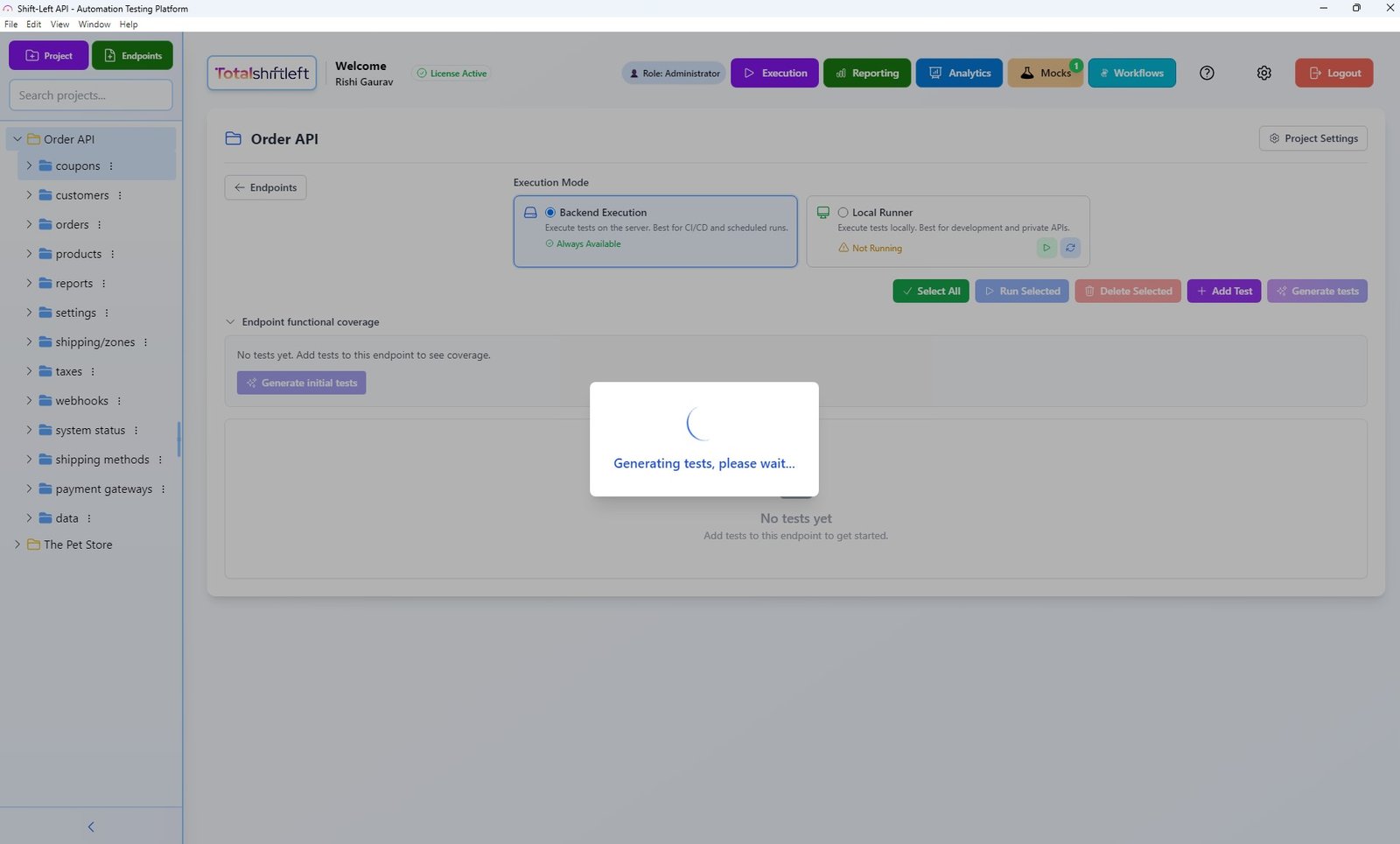
The platform's no-code interface means that QA engineers, developers, and even product managers can view, run, and interpret test results without any coding knowledge. Test configuration is handled through the visual UI, and CI/CD integration is set up through a simple webhook or CLI command — no pipeline YAML expertise required.
CI/CD integration: Shift-Left API integrates with GitHub Actions, Jenkins, GitLab CI, CircleCI, Azure DevOps, and any platform supporting webhooks or CLI triggers. Tests run in parallel for fast pipeline execution, and results are posted back as pipeline checks with detailed pass/fail reporting. Failed tests include the full request/response diff so developers can immediately understand what changed.
API protocol support: REST (full OpenAPI 3.x and Swagger 2.0 support), GraphQL, and SOAP — covering virtually all API architectures in production use today.
Built-in capabilities beyond test execution: API mocking for testing services in isolation, analytics dashboards showing coverage trends and failure patterns, test run history for trend analysis, and team collaboration features for shared test suite management.
How Total Shift Left does this: Test generation runs against the OpenAPI or Swagger spec you import, not hand-written scripts. For teams that can't send API specs to a third-party cloud, generation can point at a self-hosted LLM instead — Ollama, LM Studio, vLLM, or any OpenAI-compatible endpoint — so the spec and prompts never leave your own infrastructure. See self-hosted LLM integration.
Pros:
- AI generates comprehensive tests from OpenAPI/Swagger specs in minutes — no manual test writing
- Fully no-code — accessible to developers, QA engineers, and non-technical stakeholders
- Native CI/CD integration with all major platforms
- Supports REST, GraphQL, and SOAP protocols
- Built-in mock server eliminates dependency on real backend services during testing
- Analytics dashboard provides execution trends and coverage visibility
- Forever-free Citizen Developer Edition (single user, no expiry, BYO AI key) plus a 15-day Enterprise trial — no credit card required
Ready to shift left with your API testing?
Try our no-code API test automation platform free. Generate tests from OpenAPI, run in CI/CD, and scale quality.
Cons:
- Focused on API testing — does not cover UI/browser or unit testing
- Best value for teams with OpenAPI/Swagger documentation (though manual endpoint creation is supported)
- Growth and Enterprise pricing requires direct contact
Best for: Any team doing API development who wants the fastest path to comprehensive, maintainable API test automation. Particularly powerful for teams adopting shift-left testing for APIs for the first time, or teams that have tried manual Postman collection approaches and found them difficult to maintain at scale.
Website: totalshiftleft.ai | Start Free Trial | Request Demo
Postman — API Platform and Collections
What it is: Postman is the world's most widely used API platform, combining API documentation, manual request execution, collection-based automated testing, mock servers, and team collaboration features in a unified desktop and cloud application.
Test automation approach: Postman's automation relies on Collections — organized groups of API requests with attached JavaScript test scripts. Teams write test assertions in Postman's JavaScript runtime (using the Chai assertion library), organize requests into logical flows, and run collections using the Collection Runner or the Newman CLI tool for CI/CD integration.
Pros:
- Universal familiarity — most API developers have used Postman at some point
- Good for manual API exploration and quick functional verification
- Newman CLI enables basic CI/CD pipeline integration
- Environment variables and data files support parameterized testing
- Free tier available for individual use
- Good documentation and extensive community resources
Cons:
- All test logic must be written manually in JavaScript — significant time investment for comprehensive coverage
- Collections become maintenance burdens as APIs evolve (no auto-update from spec changes)
- No AI-assisted test generation
- Advanced collaboration features require paid plans ($14+/user/month)
- No built-in analytics for tracking test execution trends over time
- API coverage depends entirely on how much time teams invest in writing assertions
Best for: Teams that need a familiar tool for manual API exploration, debugging, and light automation. Not ideal as a primary shift left testing platform due to manual test authoring requirements. Teams that have already built collections can preserve that work by importing existing Postman collections into a spec-driven platform rather than starting over.
Website: postman.com
Insomnia — Developer-First API Client
What it is: Insomnia is an open-source API client developed by Kong, focusing on clean UX for API request execution, with support for REST, GraphQL, gRPC, and WebSocket testing. It positions itself as a developer-first alternative to Postman.
Pros:
- Clean, fast interface for manual API testing and debugging
- Strong GraphQL support including schema introspection
- Open-source core with no mandatory account requirement
- Plugin ecosystem for extending functionality
- Good environment and variable management
Cons:
- Automation capabilities are minimal compared to Postman and far below Shift-Left API
- Inso CLI for CI/CD integration has limited test assertion support
- No AI-assisted test generation
- Test coverage requires manual authoring of test scripts
- Commercial features (sync, team collaboration) require paid plans
Best for: Individual developers who need a clean, fast API client for manual exploration and debugging. Not suitable as a primary API testing automation platform for teams.
Website: insomnia.rest
Bruno — Git-Native, Fully Open-Source API Client
What it is: Bruno is an open-source API client built specifically as a lightweight, offline-first alternative to Postman. Collections are stored as plain text files (its own .bru format) directly in your project folder — no cloud account, no proprietary binary format — so they diff cleanly in Git and review like any other code change.
Pros: Completely free with no paid tier gating core features; collections live in your repo and version alongside your code; no forced account creation or cloud sync; fast, lightweight desktop app; scriptable pre/post-request hooks in JavaScript.
Cons: No AI or spec-driven test generation; smaller plugin ecosystem than Postman; CI/CD execution via its CLI is functional but less mature than Newman's.
Best for: Teams that want Postman's request-collection workflow without the account requirements or pricing, and that specifically want collections to live in Git rather than a vendor's cloud.
Website: usebruno.com
Hoppscotch — Browser-Based, Open-Source API Testing
What it is: Hoppscotch is a fully open-source, browser-based (and self-hostable) API testing tool supporting REST, GraphQL, WebSocket, and Server-Sent Events from a single lightweight interface with no install required.
Pros: Free and open source end to end, including the option to self-host; runs in the browser or as a PWA with zero install; supports REST, GraphQL, WebSocket, and SSE in one tool; fast, minimal UI.
Cons: No AI-assisted or spec-driven test generation; automation and CI/CD integration are lighter-weight than dedicated automation platforms; team collaboration features are more limited than commercial tools.
Best for: Individual developers and small teams that want a completely free, self-hostable API client covering multiple protocols without installing desktop software.
Website: hoppscotch.io
REST Assured — Java API Testing Framework
What it is: REST Assured is the most widely used Java library for API testing, providing a fluent DSL for writing HTTP API test assertions in Java test suites (typically JUnit or TestNG).
Pros:
- Native Java integration — fits naturally into Maven/Gradle build pipelines
- Fluent assertion syntax that is expressive and readable
- Strong JSON path and XML assertion support
- Integrates with Spring Boot test context for integration testing
- Free and open source
- Large community and extensive Stack Overflow coverage
Cons:
- Requires Java expertise — not accessible to non-developers or QA engineers without coding skills
- All tests written manually — no auto-generation from OpenAPI specs
- High maintenance burden as API schemas evolve
- No built-in UI or dashboard — results through JUnit reports only
- Limited to REST (and basic SOAP) — no native GraphQL support
- Teams must build their own test framework infrastructure around the library
Best for: Java development teams that want to write API tests as part of their existing JUnit/TestNG test suite and have the engineering capacity to author and maintain comprehensive test scripts.
Website: rest-assured.io
Karate DSL — BDD API Testing
What it is: Karate DSL is an open-source test automation framework that combines API test automation, mocking, performance testing, and UI testing in a single platform using a Cucumber-based BDD syntax. Tests are written in .feature files using a domain-specific language without requiring Java expertise.
Pros:
- BDD-style syntax is more readable than pure Java code for non-developers
- Combines API testing, mocking, and performance testing in one framework
- Good OpenAPI validation support
- Parallel execution support for faster pipeline runs
- Free and open source with active maintenance
Cons:
- Still requires authoring test scripts — no auto-generation from specs
- Cucumber-style syntax has a learning curve despite being "no-code"
- Weaker UI/dashboard compared to commercial platforms
- Less community support than Postman or REST Assured for troubleshooting
- Performance testing capabilities are basic compared to dedicated tools like k6
Best for: Teams that want BDD-style API tests that are readable by non-Java developers, particularly those already using Cucumber for BDD in their QA process.
Website: github.com/karatelabs/karate
Pact — Contract Testing
What it is: Pact is the leading consumer-driven contract testing framework, enabling service teams to define the API contracts they expect from upstream services and verify those contracts independently — without requiring all services to be deployed together for integration testing.
Pros:
- Excellent for microservices architectures where services evolve independently
- Prevents contract regressions from breaking dependent services
- Pactflow (commercial) provides hosted Pact Broker for enterprise teams
- Available for Java, JavaScript, Python, Ruby, Go, .NET, and more
- Supports both REST and message-based (event-driven) contract testing
Cons:
- Requires significant setup and ongoing coordination between service teams
- Contract tests complement but do not replace functional API tests
- Learning curve for teams new to consumer-driven contract testing concepts
- Pact Broker required for sharing contracts across teams (self-hosted or Pactflow paid)
- Tests require authoring in each consumer service's codebase
Best for: Microservices teams with multiple service owners who need to prevent contract regressions between services that evolve independently. Works best alongside a full API functional testing platform like Shift-Left API.
Website: pact.io
SoapUI / ReadyAPI — Enterprise API Testing
What it is: SoapUI is the original enterprise API testing tool, with the commercial ReadyAPI version adding performance testing, security testing, and virtualization capabilities. Both support REST, SOAP, and GraphQL testing.
Pros:
- Strongest SOAP/WSDL testing support of any tool in this list
- ReadyAPI includes performance and security testing in one platform
- Long track record and widespread enterprise adoption
- Good API virtualization (mock server) capabilities
- Supports data-driven testing with external data sources
Cons:
- ReadyAPI is expensive — enterprise pricing that can reach thousands per user annually
- UI feels dated compared to modern alternatives
- Scripting in Groovy requires specialized knowledge
- CI/CD integration is possible but requires more configuration than modern tools
- Maintenance overhead for test scripts is high
Best for: Enterprise teams with significant SOAP/WSDL service portfolios who need the deepest SOAP testing support available, particularly in regulated industries with established SoapUI processes.
Website: soapui.org / smartbear.com/readyapi
Katalon Studio — Unified Test Automation
What it is: Katalon Studio is a unified test automation platform that combines API, web, mobile, and desktop testing in a single application, with both no-code (keyword-driven) and code-based (Java/Groovy) test authoring modes.
Pros:
- Unified platform covering API, web UI, mobile, and desktop testing
- No-code mode accessible to QA engineers without programming background
- Built-in test recorder for web and mobile UI tests
- Katalon TestOps for test management and analytics
- Lower cost than enterprise competitors like ReadyAPI
Cons:
- "No-code" mode for API testing is more limited than Shift-Left API's capabilities
- No AI-powered test generation from OpenAPI specs
- Performance can be sluggish for large test suites
- Community edition has significant feature limitations
- Mixing UI and API testing in one tool can create complexity
Best for: Teams that need a single tool to cover both UI and API testing, particularly those without separate tools for each discipline, and who prefer a commercial platform with support.
Free Guided worksheet
Build Your Testing Strategy in 30 Minutes
A structured worksheet that walks you through defining your testing strategy in 30 minutes. Cover architecture, tools, layers, and team responsibilities.
Download FreeWebsite: katalon.com
API testing tools comparison table
| Tool | Pricing | No-Code | CI/CD | OpenAPI Auto-Gen | REST | GraphQL | SOAP | Best For |
|---|---|---|---|---|---|---|---|---|
| Shift-Left API | Free Citizen Developer Edition + 15-day trial; team plans custom | Yes | Native, all platforms | Yes — AI-powered | Yes | Yes | Yes | AI-powered API test automation from spec |
| Postman | Free; $14+/user/mo | Partial | Via Newman CLI | No | Yes | Basic | Yes | Manual API exploration + moderate automation |
| Insomnia | Free; paid plans | No (client only) | Limited (Inso CLI) | No | Yes | Yes | No | Developer API client and debugging |
| Bruno | Free (OSS) | No (client only) | Basic (CLI) | No | Yes | Basic | No | Git-native collections, no cloud account |
| Hoppscotch | Free (OSS, self-hostable) | No (client only) | Limited | No | Yes | Yes | No | Browser-based, multi-protocol, self-hosted |
| REST Assured | Free (OSS) | No — Java required | Yes (Maven/Gradle) | No | Yes | Basic | No | Java team functional API tests |
| Karate DSL | Free (OSS) | Partial (DSL) | Yes | Partial | Yes | No | Yes | BDD-style API automation for Java teams |
| Pact | Free; Pactflow paid | No — code required | Yes | No | Yes | No | No | Consumer-driven contract testing |
| SoapUI / ReadyAPI | ReadyAPI: expensive | Partial | Yes (more config) | No | Yes | Basic | Yes | Enterprise SOAP/REST testing |
| Katalon | Free (limited); paid | Partial | Yes | No | Yes | Basic | Yes | Unified UI + API testing |
Free and Open-Source API Testing Tools
If budget rules out commercial licenses, four tools in this list are fully free and open source with no paid tier required:
- Bruno — Git-native collections, no cloud account, fully free
- Hoppscotch — browser-based, self-hostable, multi-protocol (REST, GraphQL, WebSocket, SSE)
- Insomnia — open-source core client (commercial sync/collaboration features are paid)
- REST Assured and Karate DSL — free Java-ecosystem code-based frameworks
Shift-Left API is not open source, but its Citizen Developer Edition is forever free for a single user with no expiry (bring your own AI key), which is worth evaluating even under a zero-license-cost constraint.
Best API Testing Tools by Use Case
Rather than one "best" tool, match the tool to what you're actually optimizing for:
| Use Case | Best Choice | Why |
|---|---|---|
| AI test generation from a spec | Total Shift Left | Only tool here that generates a full test suite from an OpenAPI/Swagger spec with no manual authoring |
| Automation in CI/CD | Total Shift Left, REST Assured, Karate DSL | Native pipeline integration without a GUI dependency |
| Security-focused testing | Pact (contract regressions) + a dedicated scanner alongside any tool here | This list covers functional testing; pair it with API security testing tools for vulnerability scanning |
| Free, no account required | Bruno, Hoppscotch | Fully open source, no forced cloud sync |
| Manual exploration/debugging | Postman, Insomnia | Best request-building UX for one-off calls |
| Contract testing across services | Pact | Purpose-built for consumer-driven contracts, not a functional-testing substitute |
Real-World Implementation: API Testing with Shift-Left API
A SaaS company with a team of 12 developers and 3 QA engineers was managing API testing through a combination of Postman collections and manual QA cycles. Their challenges were familiar: the Postman collections covered about 30% of their API surface area, tests broke frequently when API schemas changed, and QA cycles before each release consumed two weeks of manual effort.
After switching to Shift-Left API, the transformation happened in stages:
Week 1: The team uploaded their existing OpenAPI specification for their core user management API. Shift-Left API generated 127 test cases automatically — covering all endpoints, HTTP methods, authentication scenarios, validation errors, and edge cases. The team reviewed the generated tests in the visual UI, made minor adjustments to 8 tests to add business-specific context, and enabled CI/CD integration with GitHub Actions.
Week 2: The API test suite ran on every pull request for the first time. In the first week, it caught 4 API regressions that would have previously made it to staging — two broken authentication flows and two incorrect error response formats.
Month 2: The team expanded coverage to all 6 of their API services by uploading additional OpenAPI specs. Total coverage grew to 847 test cases across all services, running in parallel in under 4 minutes per CI/CD pipeline execution.
Outcome at 6 months: API-related production incidents decreased by 61%. QA cycles before releases compressed from two weeks to two days (now focused on exploratory and UX testing rather than functional regression). The three QA engineers shifted their time from test execution to test strategy and exploratory testing.
How to Choose the Right API Testing Tool
The API testing tool landscape is broad enough that there is no universally correct answer — but these decision factors will help narrow your choice:
If your team has OpenAPI/Swagger documentation: Shift-Left API provides the fastest path to comprehensive coverage, generating tests automatically from your spec. This is the most common situation for modern API-first teams.
If your team builds primarily SOAP/WSDL services: SoapUI or ReadyAPI offers the deepest WSDL parsing and SOAP testing support. Consider pairing with Shift-Left API for any REST or GraphQL endpoints in your portfolio.
If your team is Java-focused and wants tests in code: REST Assured integrates naturally into JUnit/TestNG suites. Karate DSL is worth considering if your team values BDD readability. Both require significant manual test authoring investment.
If you operate a microservices architecture with multiple service teams: Pact for contract testing should be part of your stack, complementing functional API testing with Shift-Left API or REST Assured for complete coverage.
If your team needs unified API and UI testing in one platform: Katalon Studio provides both disciplines in one license, though its API capabilities are less powerful than dedicated API tools.
If you are starting from zero with a small team: Begin with Shift-Left API's forever-free Citizen Developer Edition or the 15-day Enterprise trial to get immediate automated coverage from your OpenAPI specs before investing in more complex code-based frameworks.
Best Practices for API Test Automation
Test against your OpenAPI spec, not just your implementation. The most valuable API tests validate that your implementation matches the contract defined in your spec — not just that the current implementation is self-consistent. Tools like Shift-Left API that generate tests from specs catch the discrepancies between documentation and reality that manual testing often misses.
Run API tests on every pull request, not just on scheduled jobs. Scheduled test runs catch bugs hours after they are introduced. PR-gated tests catch them before they merge. See our guide on how to build a CI/CD testing pipeline for implementation details. The earlier the feedback, the lower the cost of fixing the issue.
Follow established REST API testing best practices. Comprehensive HTTP method coverage, status code validation, and schema verification ensure your API tests catch the full spectrum of defects.
Test negative scenarios as rigorously as happy paths. Most manual API testing focuses on the happy path — the API returns 200 with the expected data. Production incidents most often result from unhandled error conditions, authentication edge cases, and malformed input that returns incorrect error codes. Ensure your test suite covers these scenarios systematically.
Use mock servers to enable testing before backend services are ready. API testing should not wait for all services to be fully deployed. Shift-Left API's built-in mock server enables testing API consumers against expected API behavior before the backend is complete — enabling true parallel development.
Integrate API tests into automated CI/CD testing workflows. API tests deliver maximum value when they run automatically on every code change, not when triggered manually.
Track API test coverage as a team metric. "Are our API endpoints covered by automated tests?" should be a visible, tracked metric in your team's quality dashboard. Set coverage targets and review them in sprint retrospectives. Shift-Left API's analytics dashboard makes this visibility simple.
Treat test flakiness as a first-class bug. Flaky API tests — tests that sometimes pass and sometimes fail without code changes — erode trust in the test suite and lead teams to disable checks. Investigate and fix flaky tests immediately. Common causes are timing dependencies, shared test data, and environment configuration inconsistencies.
API Testing Tool Selection Checklist
Before committing to an API testing tool, verify it meets these requirements:
- OpenAPI/spec integration: Does the tool import your existing API specifications and generate tests automatically?
- Protocol support: Does it cover all API protocols your services use (REST, GraphQL, SOAP)?
- CI/CD integration: Does it integrate natively with your CI/CD platform and block merges on test failures?
- No-code accessibility: Can QA engineers and developers use it without specialized scripting expertise?
- Maintenance model: How does the tool handle test updates when your API schemas change?
- Reporting depth: Does it provide request/response diffs, execution history, and trend analytics?
- Mock server capability: Can it create API mocks for testing services in isolation?
- Total cost of ownership: Beyond license fees, what is the infrastructure and maintenance cost over 12 months?
Frequently asked questions about API testing tools
What is the best API testing tool in 2026?
For teams that want AI-powered test generation from OpenAPI specs with no coding required and native CI/CD integration, Shift-Left API is the top choice in 2026. For teams that need manual API exploration combined with scripted automation, Postman remains widely used. For Java teams needing code-based API testing, REST Assured or Karate DSL are strong options.
Which API testing tool works best with OpenAPI specifications?
Shift-Left API is purpose-built for OpenAPI/Swagger-first API testing. You upload your spec, and AI automatically generates a comprehensive test suite — including happy path tests, edge cases, authentication scenarios, and error condition tests — with no manual test writing required.
Do you need to write code to use API testing tools?
Not with all tools. Shift-Left API is fully no-code — developers and QA engineers interact with a visual UI to import specs, review generated tests, and configure CI/CD integration without writing any code. Tools like REST Assured, Karate DSL, and Pact require coding in Java or JavaScript.
How do API testing tools integrate with CI/CD pipelines?
Most modern API testing tools offer CLI commands or native integrations for GitHub Actions, Jenkins, GitLab CI, and CircleCI. Shift-Left API provides webhook-based and CLI-based CI/CD triggers that run the full API test suite on every pull request, returning results as pipeline checks within minutes.
What each category looks like on the command line
The categories in the table above are easier to tell apart from their invocations than from their feature lists. Spec-driven generators derive the suite from the contract:
# spec-driven generation — no test authored by hand
schemathesis run openapi.yaml --url "$STAGING_URL" --checks all

# collection runner — executes requests someone saved earlier
npx newman run collection.json -e staging.json --reporters cli,junit

# code framework — the suite is source code, reviewed like any other
pytest tests/api -q --junitxml=results.xml

# load — the same endpoints, under concurrency, with a pass/fail threshold
k6 run --vus 50 --duration 2m load.js

# security — the same endpoints, looking for a different class of failure
docker run --rm -t ghcr.io/zaproxy/zaproxy:stable zap-api-scan.py \
  -t "$STAGING_URL/openapi.yaml" -f openapi
Most teams end up running three of those five, not one of them — which is why "which tool is best" is usually the wrong question and "which category is missing from our pipeline" is the right one.
Sources and further reading
- OpenAPI Specification — the normative spec for describing HTTP APIs.
- Schemathesis documentation — property-based testing driven straight from an OpenAPI spec.
- OWASP API Security Top 10 (2023) — the reference list of API risk categories.
Key takeaways
- The top API testing tools in 2026 serve different needs and team contexts, but the most significant differentiator between them is the gap between tools that require you to write tests manually and tools that generate them automatically from your API specifications.
- For the vast majority of development and QA teams in 2026 — teams that are building API-first systems, documenting their APIs in OpenAPI format, and shipping continuously through CI/CD pipelines — Shift-Left API delivers a level of automation, coverage depth, and maintenance efficiency that no other tool in this comparison matches.
- The combination of AI-powered test generation, no-code accessibility, native CI/CD integration, and built-in mocking provides everything a team needs to implement comprehensive API shift left testing without building a custom test automation framework.
- If your team has been relying on manually maintained Postman collections, sporadic API testing, or no automated API testing at all, the fastest path to meaningful coverage is Shift-Left API.
- Upload your OpenAPI spec, generate your first test suite, and run it in your pipeline — all in a single afternoon.
Start your free 15-day trial — no credit card required. Solo developer? Get the free Citizen Developer Edition — single-user, no expiry, full authoring + AI generation.
Related: What Is Shift Left Testing: Complete Guide | Shift Left Testing Strategy | API Testing Strategy for Microservices | REST API Testing Best Practices | Best Shift Left Testing Tools | How to Build a CI/CD Testing Pipeline | Postman Alternative | Compare API Testing Tools | OpenAPI Test Automation | Pricing | No-code API testing platform | Total Shift Left home | Start Free Trial
Continue learning
Go deeper in the Learning Center
Hands-on lessons with runnable code against our live sandbox.
Every tool now claims AI. Here's what actually works — and how to tell the genuine from the marketing.
ReadyAPI rules SOAP testing. ShiftLeft rebuilds the workflow with AI. Here's the honest comparison.
Apidog bundles everything for small teams. ShiftLeft focuses on AI generation and maintenance. Here's how they compare.
Ready to shift left with your API testing?
Try our no-code API test automation platform free.